In this article29 sections
- 01.What Is Ransomware and How Does It Work
- ↳How Ransomware Encrypts Your Files
- 02.How Ransomware Infects Your Computer: The Main Attack Vectors
- ↳1. Phishing Emails with Malicious Attachments or Links
- ↳2. Exploiting Unpatched Software Vulnerabilities
- ↳3. Remote Desktop Protocol Attacks
- ↳4. Drive-By Downloads from Compromised Websites
- ↳5. Malicious Advertisements
- ↳6. Infected USB Drives and Removable Media
- ↳7. Supply Chain Attacks Through Third-Party Software
- 03.10 Ways to Prevent Ransomware Attacks in 2026
- ↳1. Back Up Your Data Regularly and Keep Backups Offline
- ↳2. Keep All Software and Operating Systems Updated
- ↳3. Enable Multi-Factor Authentication on Every Account
- ↳4. Train Employees to Recognise Phishing Attacks
- ↳5. Restrict Remote Desktop Protocol Access
- ↳6. Use Endpoint Detection and Response Tools
- ↳7. Segment Your Network
- ↳8. Filter Email and Web Traffic
- ↳9. Develop and Test an Incident Response Plan
- ↳10. Consider Cyber Insurance with Ransomware Coverage
- 04.What to Do If Ransomware Has Already Infected Your System
- 05.Frequently Asked Questions About Ransomware Prevention
- ↳What is the most common way ransomware infects a computer?
- ↳Can ransomware spread to other computers on the same network?
- ↳Does paying the ransom guarantee file recovery?
- ↳Are Macs or Linux computers safe from ransomware?
- ↳How long does ransomware recovery take?
- 06.Ransomware Prevention Is an Ongoing Practice
How Ransomware Infects Computers and 10 Ways to Prevent It in 2026
Ransomware is one of the most destructive cyber threats businesses and individuals face today. Ransomware attacks increased 179 percent in 2025, with cybercriminals increasingly using artificial intelligence to target vulnerabilities faster and at greater scale than ever before. The average total cost of a ransomware incident, including downtime, recovery, and reputational damage, now ranges between $1.8 million and $5 million per attack. The World Economic Forum’s 2026 Global Cybersecurity Outlook confirmed that ransomware remains the number one cyber risk cited by CISOs worldwide.
Understanding how ransomware infects computers is not just useful for IT professionals. It is essential knowledge for every person who uses a computer, whether at home or at work. The good news is that most ransomware attacks succeed because of preventable mistakes. This guide explains exactly how ransomware gets onto your system, what it does once it is there, and the ten most effective steps you can take right now to protect yourself.
What Is Ransomware and How Does It Work
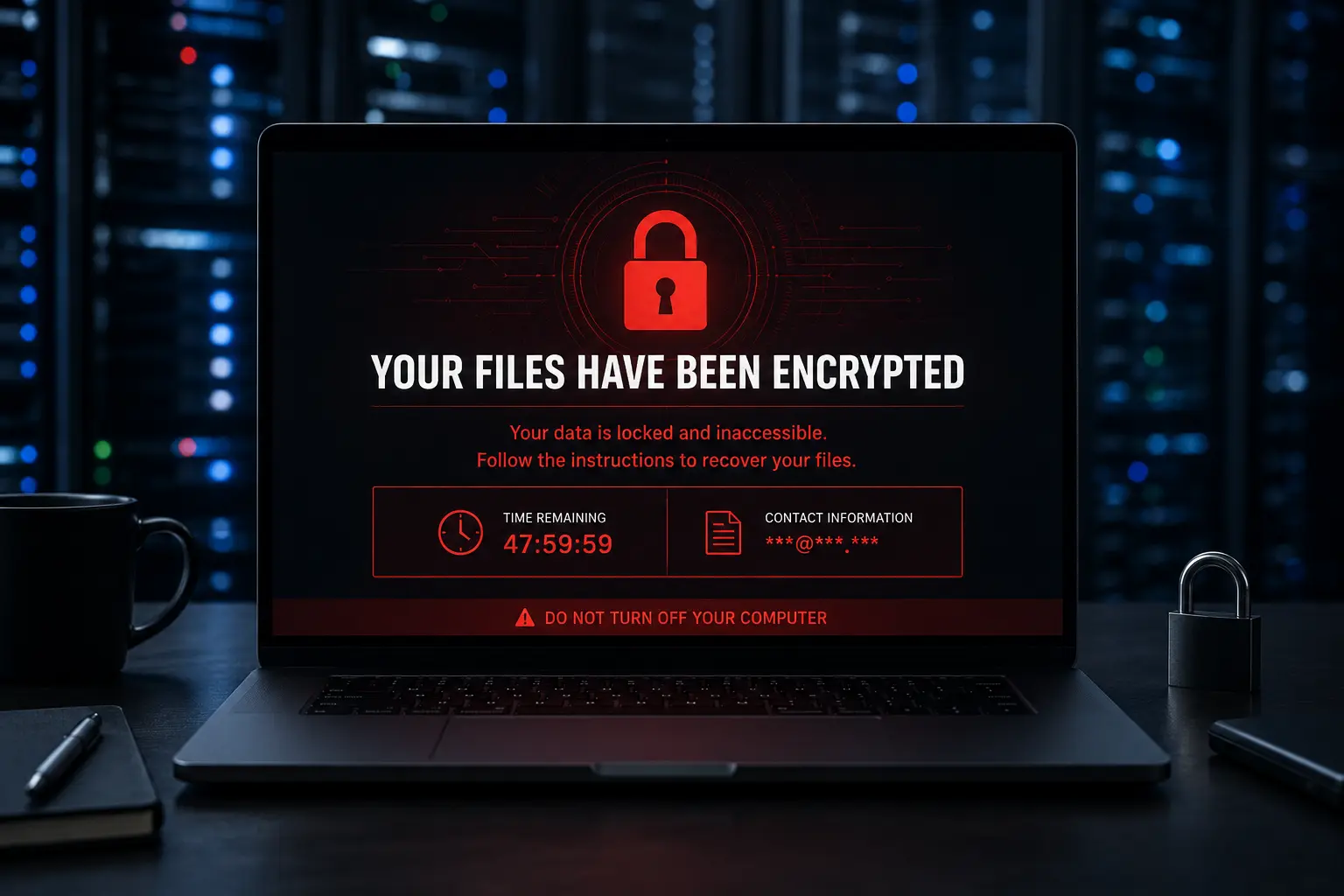
Ransomware is a type of malware that encrypts the files on your computer or network, making them completely inaccessible, and then demands a payment in exchange for the decryption key. Without that key, your files are locked permanently unless you can restore them from a clean backup or find another way to recover the encryption keys.
The term ransomware comes from the combination of “ransom” and “malware.” Cybercriminals use it as a tool to extort money from individuals, businesses, hospitals, schools, government agencies, and any organisation whose data is valuable enough to pay to recover. The emergence of cryptocurrency made ransomware attacks more appealing to criminals because payments are difficult to trace and even harder to reverse.
Modern ransomware operations have become highly organised. Ransomware-as-a-Service platforms allow criminal groups to lease ransomware tools to affiliates who carry out the actual attacks and split the proceeds. This model has industrialised ransomware crime in the same way that legitimate software companies operate subscription platforms. According to Varonis’s 2026 ransomware statistics report, ransomware now accounts for over 10 percent of all data breaches globally and shows no sign of slowing down.
How Ransomware Encrypts Your Files
Once ransomware gains access to your computer, it immediately begins scanning for files to encrypt. It targets documents, photos, videos, spreadsheets, databases, and any file type that represents irreplaceable value. The encryption process uses strong cryptographic algorithms that are mathematically impossible to reverse without the specific decryption key held by the attacker. The original files are replaced by encrypted versions and the ransomware typically leaves a ransom note in every affected folder explaining what happened and how to pay.
Some modern ransomware variants go further through a tactic called double extortion. They steal a copy of your data before encrypting it and then threaten to publish or sell the stolen data publicly if you refuse to pay. This creates pressure even on organisations that can restore from backups, because the threat of data exposure remains even after recovery. According to Check Point’s ransomware analysis, most ransomware variants now have multiple infection vectors and increasingly leverage third-party supplier vulnerabilities as their initial access point.
How Ransomware Infects Your Computer: The Main Attack Vectors
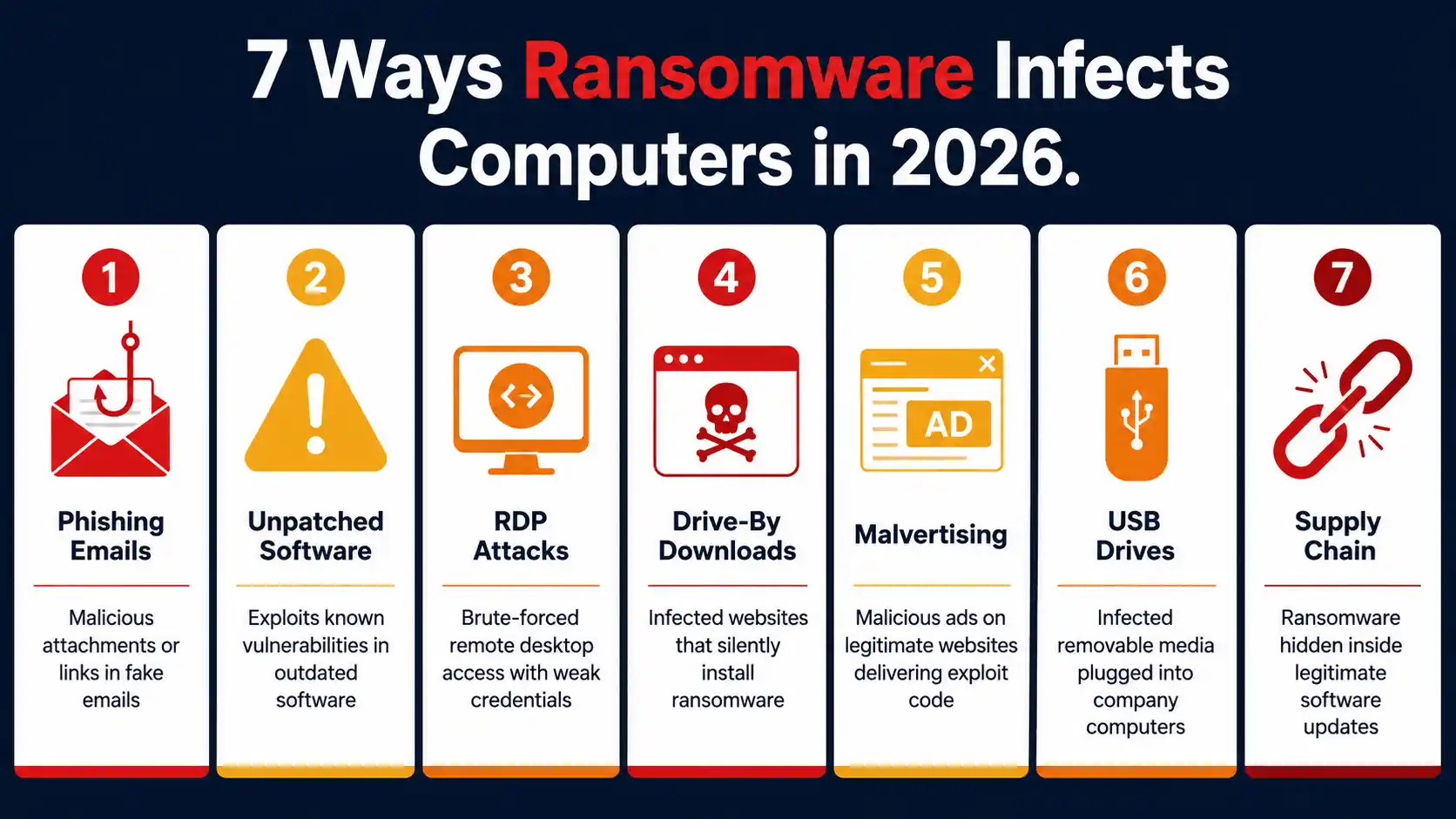
Ransomware does not appear on your computer by magic. It arrives through specific, identifiable channels that you can monitor and defend against. Understanding each infection method is the first step toward blocking them.
1. Phishing Emails with Malicious Attachments or Links
Phishing is the most common ransomware delivery method. An attacker sends an email designed to look like a legitimate message from a bank, a courier company, a software vendor, a colleague, or a government agency. The email either contains a malicious attachment, usually a document, ZIP file, or executable, or a link to a compromised website. When you open the attachment or click the link, the ransomware installs silently in the background.
In 2026, AI-generated phishing emails are so convincing in their language, grammar, and personalisation that even experienced users struggle to identify them. The email may reference your name, your employer, a recent order, or a specific event to create convincing context that lowers your guard.
2. Exploiting Unpatched Software Vulnerabilities
Software vulnerabilities are flaws in operating systems and applications that attackers can exploit to install malware without any action from the user. The notorious WannaCry ransomware in 2017 infected over 230,000 computers in 150 countries in a single day by exploiting an unpatched Windows vulnerability called EternalBlue. The Akira ransomware group, active in 2026, specifically targets unpatched VPN vulnerabilities to gain initial access to corporate networks.
Attackers actively scan the internet for systems running software with known unpatched vulnerabilities. A computer that is even a few weeks behind on updates becomes a visible target in automated scans that probe millions of IP addresses daily.
3. Remote Desktop Protocol Attacks
Remote Desktop Protocol, or RDP, is a common entry point for ransomware in business environments. RDP allows IT administrators to connect to computers remotely. When RDP is exposed to the internet with weak passwords or without multi-factor authentication, attackers can brute-force their way in by systematically trying username and password combinations until one works. Once inside through RDP, they have direct access to install ransomware manually across the network.
4. Drive-By Downloads from Compromised Websites
Drive-by downloads happen when you visit a website that has been compromised and the site automatically installs malware on your computer without you clicking anything. Attackers inject malicious code into legitimate websites through vulnerabilities in the site’s software. Your browser loads the page and the exploit kit running in the background silently drops ransomware onto your system. You may never realise anything happened until your files are already encrypted.
5. Malicious Advertisements
Malvertising uses legitimate advertising networks to deliver malicious code. An attacker purchases advertising space on a legitimate website or ad network and submits ads that contain exploit code. When your browser loads the ad, the code runs and can install ransomware even if the website itself is trusted. This attack works even on reputable news sites and content platforms because the malicious code comes through the advertising network rather than the site itself.
6. Infected USB Drives and Removable Media
Leaving infected USB drives in locations where curious employees might plug them in remains an active attack technique. Once plugged into a computer, the USB drive runs autorun scripts or relies on users opening files on the drive to trigger ransomware installation. Physical security matters in cybersecurity for exactly this reason.
7. Supply Chain Attacks Through Third-Party Software
Supply chain attacks target the software update mechanism of trusted applications. Attackers compromise the development or distribution infrastructure of a legitimate software vendor and inject ransomware into a software update that customers then install automatically, trusting the source. This method bypasses most security controls because the ransomware arrives inside trusted, signed software updates. Ransomware incidents in 2025 increasingly leveraged this approach, as noted in the Check Point research cited above.
10 Ways to Prevent Ransomware Attacks in 2026
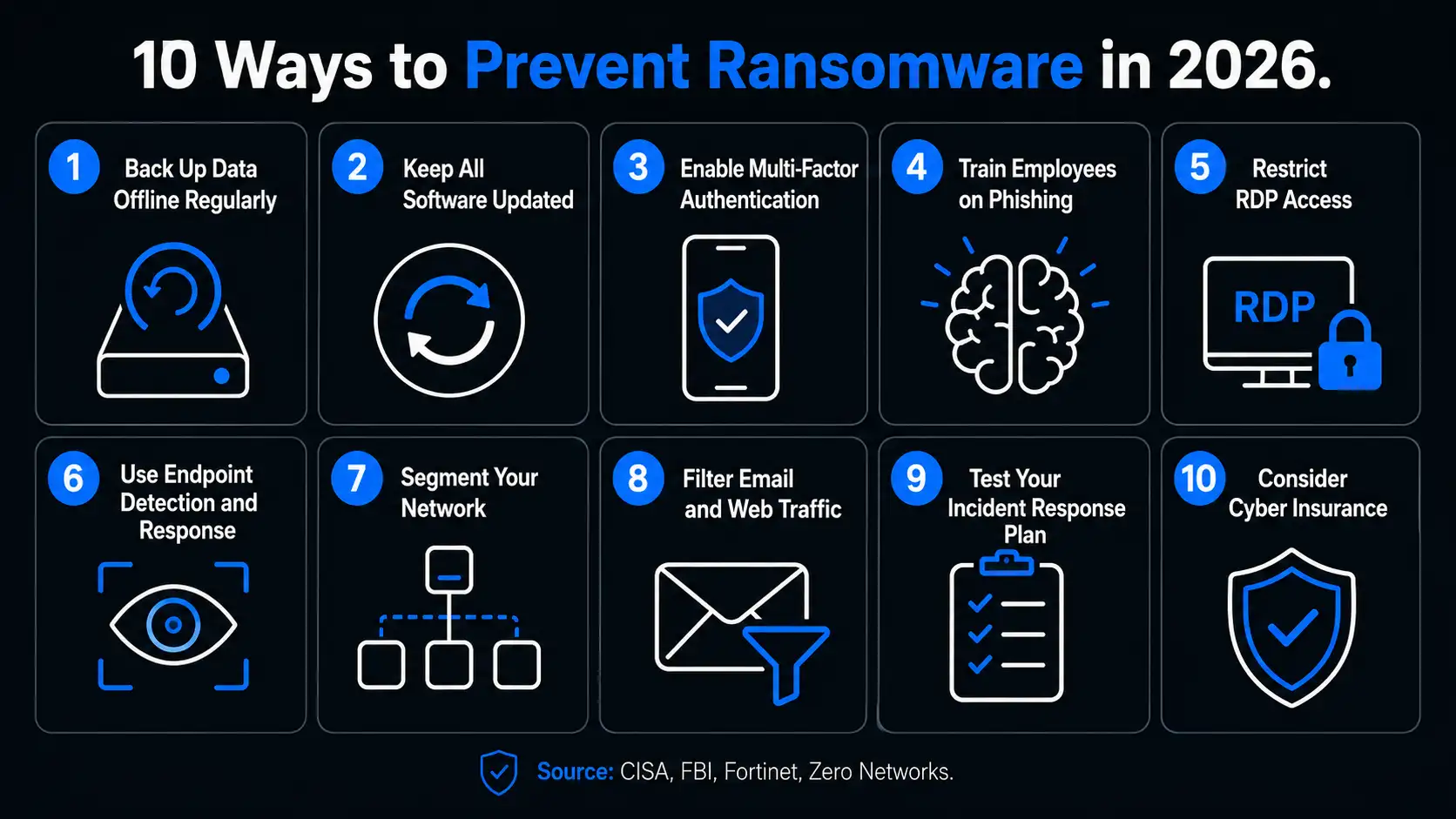
Prevention is dramatically more effective and less costly than recovery. The following ten steps address every major ransomware attack vector and represent the current best practice guidance from CISA, the FBI, Fortinet, and leading cybersecurity research organisations.
1. Back Up Your Data Regularly and Keep Backups Offline
A clean, recent, tested backup is your most powerful defence against ransomware because it makes the attacker’s leverage disappear. If they encrypt your files and you have a complete backup that pre-dates the infection, you restore your data and refuse to pay. The encryption becomes irrelevant.
The critical requirement is keeping backups offline or air-gapped. Ransomware specifically targets connected backup drives and cloud storage with synchronised access. If your backup drive is permanently plugged into the computer or your cloud backup syncs automatically, ransomware will encrypt the backup too. Follow the 3-2-1 backup rule: keep three copies of your data, on two different media types, with one copy completely offline. The CISA ransomware guide lists offline backups as the single most important preventive measure an organisation can implement.
2. Keep All Software and Operating Systems Updated
Software updates contain patches for the security vulnerabilities that ransomware exploits. Ransomware attacks increased sharply in 2025 precisely because active gangs targeted unpatched vulnerabilities in systems where updates had not been applied. Enable automatic updates on your operating system and every application you use. Pay particular attention to your browser, your office suite, your PDF reader, and your remote access tools, as these are frequent attack targets.
Apply patches within 24 to 72 hours of release for critical vulnerabilities. Once a patch is publicly released, the vulnerability it fixes becomes widely known and attackers immediately begin scanning for unpatched systems. Every day of delay increases your exposure window.
3. Enable Multi-Factor Authentication on Every Account
Multi-factor authentication blocks the credential-based attacks that ransomware groups use to gain initial access through RDP, VPN, and cloud services. Even if an attacker steals or guesses your password, they cannot complete the login without the second factor. MFA should be mandatory for all remote access tools, email accounts, cloud services, and any system containing sensitive data.
Use an authenticator app rather than SMS-based codes where possible. SMS codes are vulnerable to SIM-swapping attacks while authenticator apps generate codes locally on your device where they cannot be intercepted. According to Microsoft research, MFA blocks over 99.9 percent of automated account compromise attacks, including the credential-stuffing methods ransomware affiliates routinely use.
4. Train Employees to Recognise Phishing Attacks
Since phishing is the leading ransomware delivery method, security awareness training is a foundational prevention measure. Every person in your organisation who uses email is a potential entry point. Regular, realistic training that teaches employees to identify suspicious emails, verify unexpected requests through independent channels, and report anything unusual before clicking creates a human firewall that technical controls alone cannot replace.
Run simulated phishing campaigns that send realistic fake phishing emails to employees and provide immediate feedback when someone clicks. Organisations running continuous simulation-based training consistently reduce click rates on phishing simulations by 60 to 75 percent within twelve months. Combine training with technical email security controls including DMARC, DKIM, and SPF to prevent spoofed sender addresses from reaching inboxes in the first place.
5. Restrict Remote Desktop Protocol Access
If your organisation does not need RDP exposed to the internet, disable it entirely. If RDP access is required, restrict it to specific known IP addresses through firewall rules, place it behind a VPN that requires MFA, and monitor all RDP sessions for anomalous activity. Change the default RDP port from 3389 to reduce automated scanning success rates. Implement account lockout policies that temporarily block accounts after repeated failed login attempts to prevent brute-force attacks.
6. Use Endpoint Detection and Response Tools
Endpoint Detection and Response, or EDR, tools monitor the behaviour of every process running on your computers in real time and alert on or automatically block activity that matches known ransomware behaviour patterns. Unlike traditional antivirus that relies on matching known malware signatures, EDR detects the techniques ransomware uses regardless of whether the specific variant has been seen before. These tools can detect file encryption activity in its earliest stages and isolate the affected device from the network before encryption spreads.
According to Kaspersky’s 2026 ransomware trends analysis at Securelist’s state of ransomware in 2026 report, ransomware groups are now specifically developing EDR killer tools to disable endpoint security before deploying encryption. This makes it essential to use EDR tools that have tamper protection enabled to prevent the software from being turned off by attacker-controlled processes.
7. Segment Your Network
Network segmentation divides your infrastructure into separate zones so that ransomware that reaches one segment cannot automatically spread to every other system on the network. When ransomware enters through a single compromised endpoint, segmentation acts as a firewall that contains the infection to the segment where it landed. Critical systems, financial databases, backup systems, and production servers all sit in their own segments accessible only to the specific users and systems that genuinely need access.
Implement the principle of least privilege across your entire network. Every user account, service account, and application should hold only the permissions it genuinely needs for its specific function. An attacker who compromises a standard user account gains far less lateral movement capability than one who compromises an administrator account.
8. Filter Email and Web Traffic
Deploy email security tools that scan every incoming attachment for malicious content before it reaches the user’s inbox. Block executable file types from arriving via email entirely, since no legitimate business process requires receiving executable programs through email. Implement web filtering that blocks access to known malicious domains, phishing sites, and websites that host exploit kits. DNS filtering adds another layer by blocking malicious domain resolution before the connection is even established.
Configure your email gateway to flag external emails that spoof internal sender addresses and to add visible warning banners to all emails arriving from outside your organisation. These visual cues help employees identify suspicious messages before clicking.
9. Develop and Test an Incident Response Plan
If ransomware reaches your systems despite your defences, having a tested incident response plan determines how quickly you can contain the damage and recover. An untested plan is almost as dangerous as no plan at all because the stress of an active ransomware incident is not the time to figure out who is responsible for which decisions.
Your incident response plan should define who declares an incident, who has authority to isolate systems from the network, who contacts law enforcement, who communicates with customers and regulators, and in what order these actions happen. Practice the plan through tabletop exercises at least annually. According to the CISA guidance, regularly tested incident response plans reduce recovery time and total incident cost significantly compared to organisations that discover their plans during an actual attack.
10. Consider Cyber Insurance with Ransomware Coverage
Cyber insurance provides financial protection that helps organisations recover from ransomware incidents without catastrophic costs. Coverage typically includes incident response costs, data recovery expenses, business interruption losses, regulatory fines, and sometimes negotiation support if a ransom decision must be made. As ransomware attacks have grown more costly, insurers have tightened underwriting requirements significantly, which means that having cyber insurance now requires demonstrating the security controls described in this guide. Use the insurance application process as a forcing function to audit and improve your security posture. For the full current ransomware prevention guidance from the US government read CISA’s official stop ransomware guide which is updated continuously as new threats emerge.
What to Do If Ransomware Has Already Infected Your System
If you suspect ransomware is active on your system, act immediately in this specific order.
1. Disconnect from the network first. Unplug the ethernet cable and disable Wi-Fi on the infected machine immediately. Ransomware spreads laterally across connected networks and buying even sixty seconds of isolation can prevent it from reaching additional systems, backup drives, and shared folders.
2. Do not shut down the computer. Counterintuitively, keeping the infected machine powered on can preserve forensic evidence and sometimes allows security professionals to recover encryption keys from memory. Shutting down immediately can destroy this evidence and complicate recovery.
3. Report to your IT team and to law enforcement. In the United States, report to the FBI’s Internet Crime Complaint Center at ic3.gov and to CISA. In the United Kingdom report to the National Cyber Security Centre. Many law enforcement agencies have active intelligence on ransomware groups and can sometimes provide decryption assistance or recovery tools for specific known variants.
4. Never pay the ransom without consulting a cybersecurity professional first. Payment does not guarantee you receive a working decryption key. It funds further criminal activity. And in some cases, paying ransom to sanctioned groups may create legal liability under financial regulations. Before making any payment decision, contact a qualified incident response firm and your legal counsel.
Check whether a decryption tool for your specific ransomware variant exists at No More Ransom, a collaboration between Europol, the Dutch National Police, and cybersecurity companies that provides free decryption tools for over 160 ransomware families to victims who cannot afford to pay.
Frequently Asked Questions About Ransomware Prevention
What is the most common way ransomware infects a computer?
Phishing emails are the most common ransomware delivery method, accounting for the majority of initial infections. An email containing a malicious attachment or a link to a compromised website tricks the user into executing the ransomware. The second most common entry point is exploitation of unpatched software vulnerabilities, followed by exposed Remote Desktop Protocol connections with weak credentials.
Can ransomware spread to other computers on the same network?
Yes. Once ransomware infects one device, it actively attempts to spread to every other connected computer on the network using legitimate network tools and credentials it finds on the infected device. This is why network segmentation, immediate isolation of infected devices, and the principle of least privilege are all essential controls. The median time between initial ransomware infection and detection is six days, during which the attacker moves laterally to maximise the number of systems affected before triggering encryption.
Does paying the ransom guarantee file recovery?
No. Paying the ransom does not guarantee recovery of your files. In many cases, attackers provide a decryption key that does not work correctly or only partially restores data. Some victims are targeted with additional demands after paying an initial ransom. Law enforcement agencies and cybersecurity organisations consistently advise against paying ransoms because payment funds future attacks, emboldens criminal groups, and provides no contractual guarantee of file recovery.
Are Macs or Linux computers safe from ransomware?
No operating system is immune from ransomware. While Windows systems are targeted most frequently due to their market share, ransomware variants targeting macOS and Linux have been documented and are growing in sophistication. Linux servers are increasingly targeted by enterprise-focused ransomware groups like Akira and Play because they frequently host high-value databases and file servers. The same prevention principles apply across all operating systems.
How long does ransomware recovery take?
Recovery time varies enormously depending on the extent of the infection and whether clean backups are available. Organisations with tested offline backups and a rehearsed incident response plan can sometimes restore within 24 to 72 hours for smaller incidents. Organisations without clean backups or with enterprise-wide infections can take weeks or months to recover fully. The Change Healthcare ransomware attack of 2024, which ultimately affected 193 million individuals, caused operational disruptions lasting months and remains one of the most costly ransomware recoveries ever documented.
Ransomware Prevention Is an Ongoing Practice
Ransomware prevention is not a one-time configuration that you set up and forget. It is an ongoing practice that requires continuous attention to backups, updates, access controls, and employee awareness. Ransomware groups are evolving constantly, developing new infection techniques, using AI to accelerate their attacks, and specifically designing tools to defeat the security controls that defenders deploy.
The ten prevention steps in this guide address every major attack vector that ransomware uses today. Implementing all ten creates a layered defence that significantly reduces your risk across the full threat landscape. No single control stops every attack. The combination of all ten together creates the overlapping defences that make your systems a far less attractive and far more difficult target than the vast majority of organisations attackers could choose instead.
For the most comprehensive and regularly updated ransomware prevention resource available, Fortinet’s full ransomware protection guide at Fortinet’s ransomware prevention guide covers both the technical and organisational controls that security teams need in 2026 and beyond.

Prince Anichi
Founder and Lead Technology Editor at Ortechy. Covering digital economy shifts, tech ecosystems across Africa, cybersecurity intelligence, and emerging software platforms.